How to save fuel with Google Maps
Fuels are reaching exorbitant prices. Unfortunately, most of us have no alternative and we must pay for it at any price. In this article we explain a trick to minimize consumption when planning routes using Google Maps.
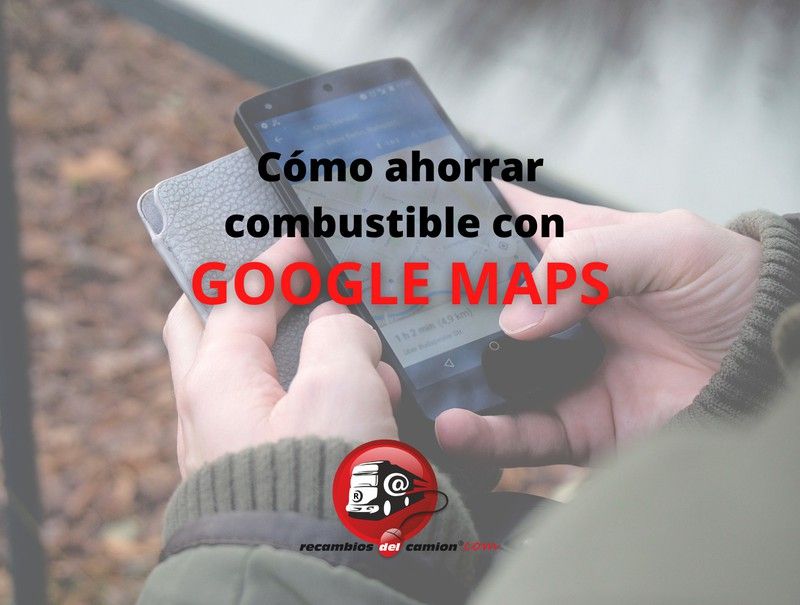
We have already dedicated a couple of articles to this free tool from the Google universe, giving you tricks to get the most out of the application.
We explain, for example, how you can use the application without having coverage and without spending the data of your telephone plan, downloading the areas of the map that you use the most. You can retrieve the article HERE.
We also explain how to know the updated price of gasoline and diesel, at any gas station, using Google Maps. You can retrieve the article HERE.
In addition, it is very useful to find any type of business you need in an area: restaurants, hotels, shops... you will find them all there and you will be able to see customer reviews, photos of the premises and their products and services what are you offering.
But there is more. Next, we explain how you can save fuel on your trips.
Google Maps is implementing an improvement that suggests, in addition to the usual route, the most efficient route, which will result in lower fuel consumption.
Until now, Google Maps showed you the fastest route to a place, when you asked for directions. On occasions, when the route allows it, other alternative routes were offered, with similar driving times.
These routes are calculated taking into account real-time traffic, which Google Maps monitors thanks to all the devices that use its application, and which continuously send location data. This feature, very useful for avoiding traffic jams, also has the ability to detect them when you are already en route, warning you that you will encounter traffic later. At the same time, whenever possible and faster, it instantly offers alternative routes to avoid such delays.
In addition, it allows you to select whether you prefer to avoid tolls on your route or not. In addition to this feature, which also made it possible to reduce spending on a trip, there is now the possibility of reducing fuel consumption with the most ecological route.
Google's navigation application continues to incorporate new features and improvements. And on this occasion a new feature has been announced to reduce the impact of pollution and, at the same time, save a few euros on your trips.
This new feature uses Artificial Intelligence, developed by the United States National Renewable Energy Laboratory. Through this AI, it analyzes data such as the duration of the journey, the slopes of the route and the traffic, and offers a new route, an alternative to the fastest one, considered more ecological and economical, although not as fast.
For example, between two 20-minute routes, Google Maps will select the one in which the road is flatter and the speed is more constant (fewer traffic lights and traffic jams), thus reducing the consumption of the vehicle for that particular route.
This new feature will be rolled out gradually during the first half of 2022 on the different devices that use it, by means of an update. And to use it they can't make it easier for you:
When you ask for directions to a specific place, in addition to the fastest route, selected by default and colored blue, the alternative ecological route will be shown, gray and with a small green leaf next to it, to differentiate it from other alternative routes that do not imply a substantial reduction in pollution or consumption. The difference in driving time involved, CO2 emissions and fuel consumption, compared to the fastest route, will also be indicated.
To follow this route you only have to click on it and the application will guide you along this more sustainable route.
If you prefer not to use this feature instead, you can prevent the economy route from being shown to you by configuring the application settings.
Other related articles
 Aug. 24, 2026
AI-powered cameras in Catalonia: Distraction controls on the A-2 and AP-7
For a professional driver, maintaining their license points and avoiding penalties is … Aug. 5, 2026
Solar eclipse 2026: traffic restrictions update
Traffic restrictions planned for the total solar eclipse on August 12, 2026, … July 22, 2026
2026 Solar Eclipse: Traffic Restrictions and Special Measures
The total solar eclipse of August 12, 2026, will be one of … July 10, 2026
Will breathalyzers be mandatory in 2026? Which vehicles are required to have them?
In recent days, numerous news reports have claimed that, from July 7, … June 15, 2026
Opinions of our clients
Receive our news